
Interactive dental chart
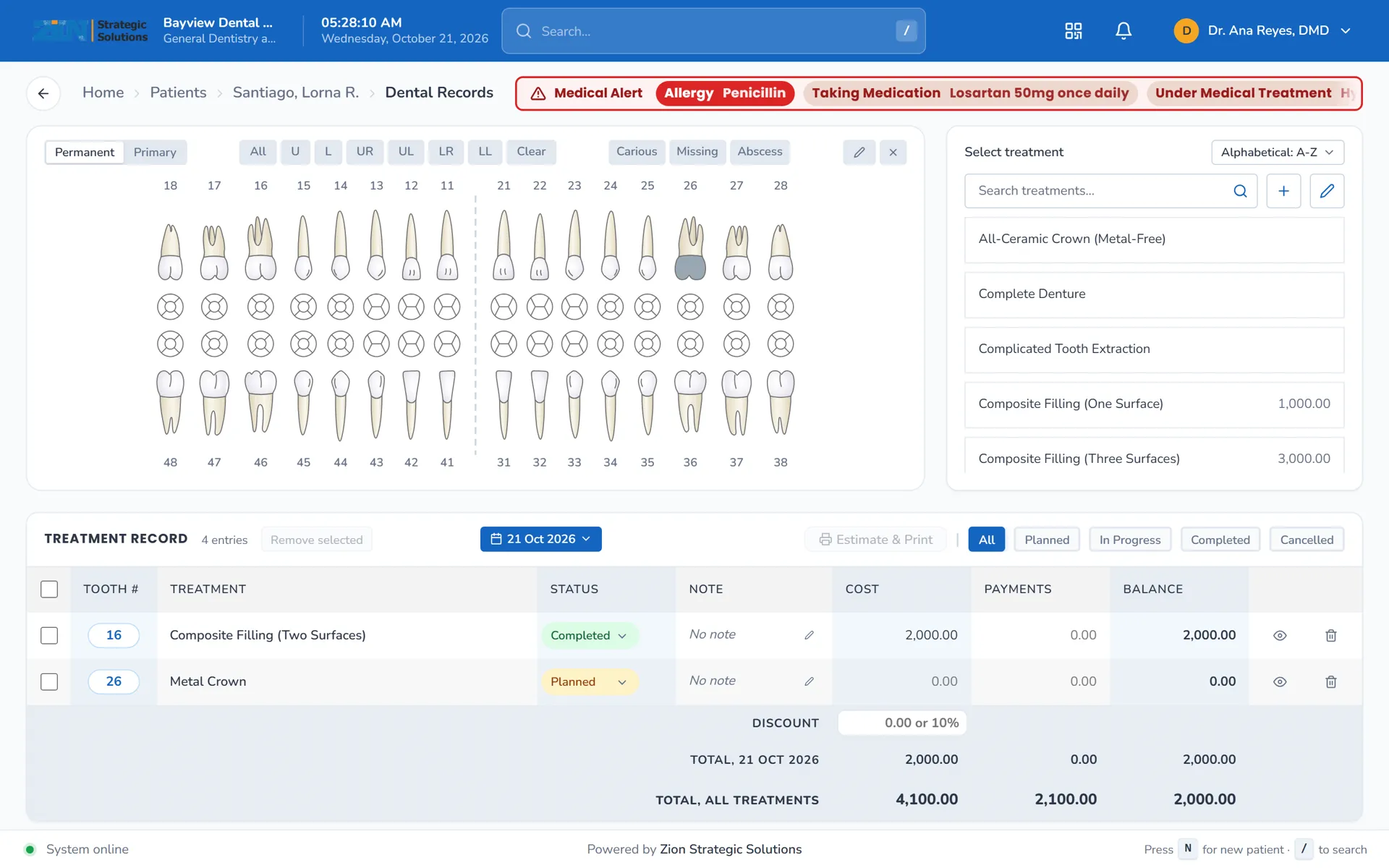
An FDI chart with a treatment sidebar. Select teeth, pick the treatment, and the chart and treatment history update together.
For dental clinics in the Philippines
Dental charts, perio and ortho records, appointments and billing in one place. Built with a practising dentist in Iligan City.
Works in any modern browser. Nothing to install.
The Dental Record and Clinical Evaluation forms your clinic already uses become the digital chart. The FDI tooth numbering and the legends are the ones you already know, so there is nothing new to learn before you start charting.
Each part of the clinic's daily work has its own screen. The screenshots below are from the demo clinic, with sample patients.
An FDI chart with a treatment sidebar. Select teeth, pick the treatment, and the chart and treatment history update together.
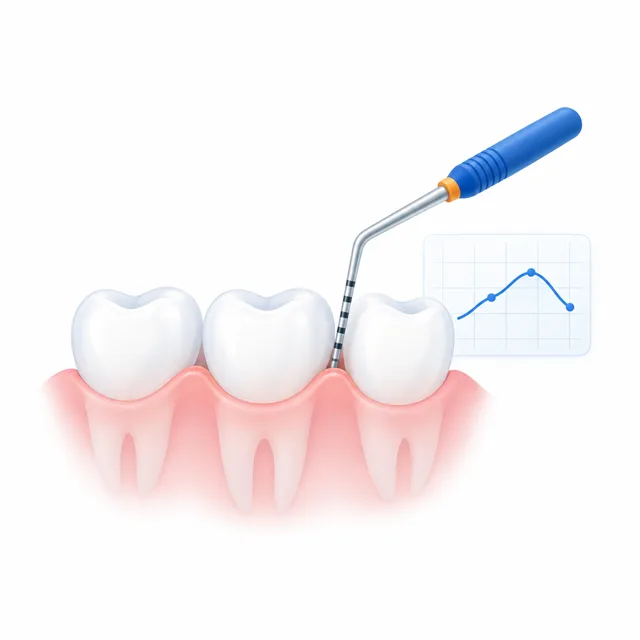
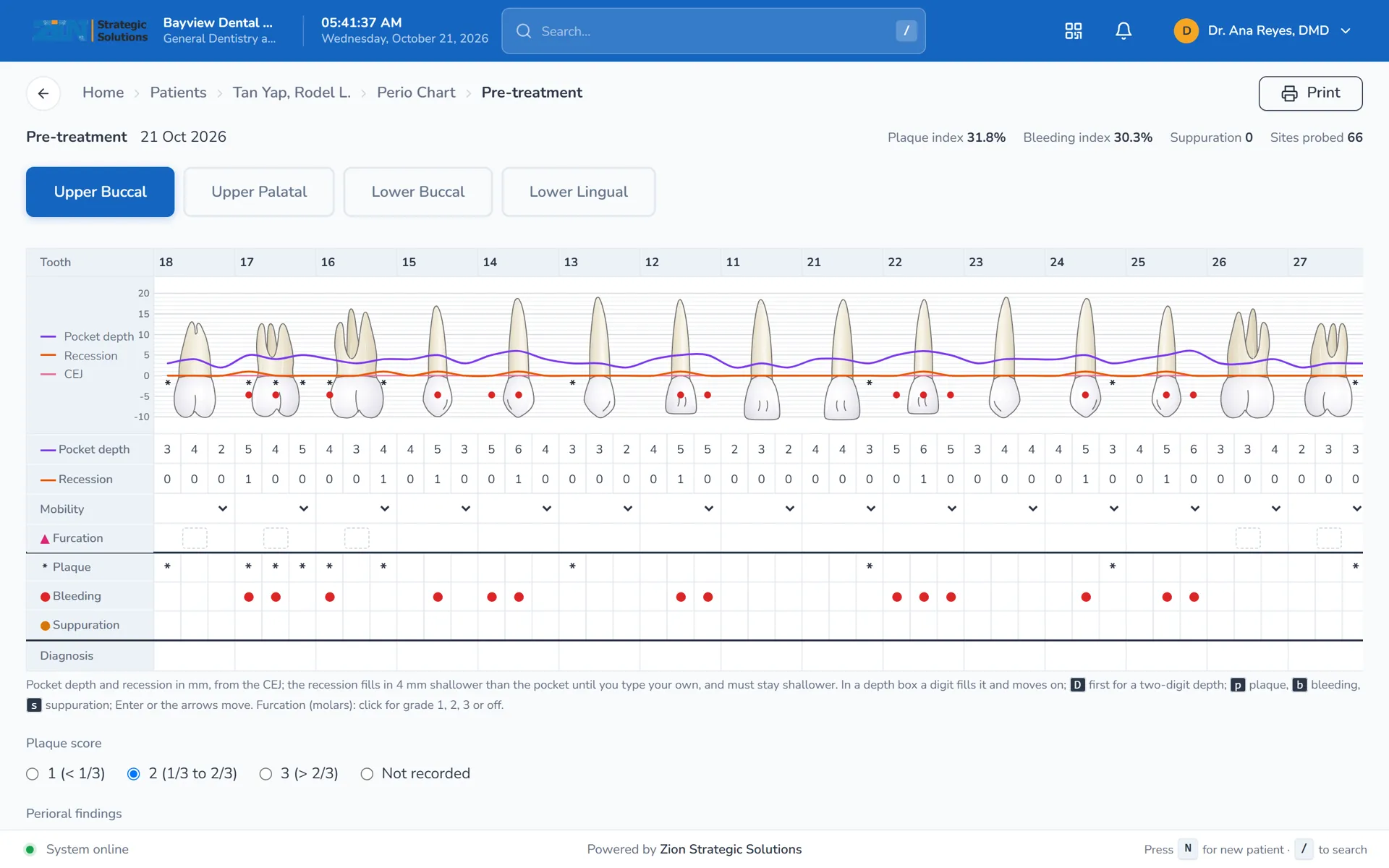
Pocket depth, recession, plaque, bleeding and suppuration for each site, with a pocket depth graph. The paper form's plaque score and perioral findings (gingiva, tongue, mucosa, frenum and more) sit on the same exam.
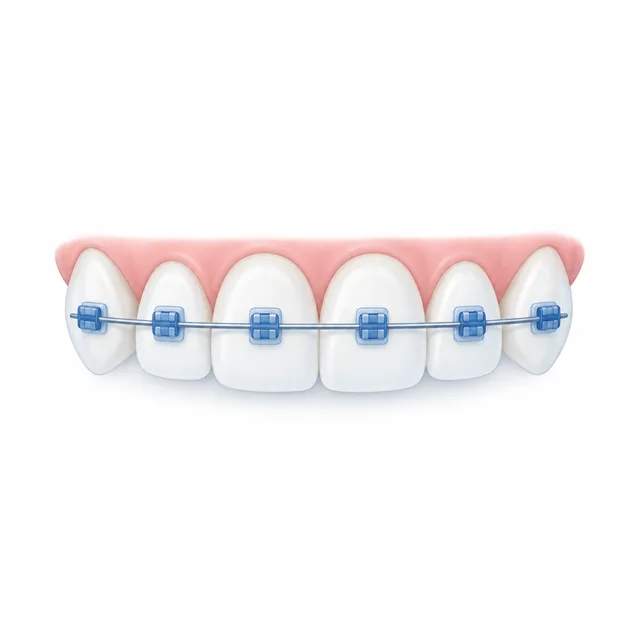
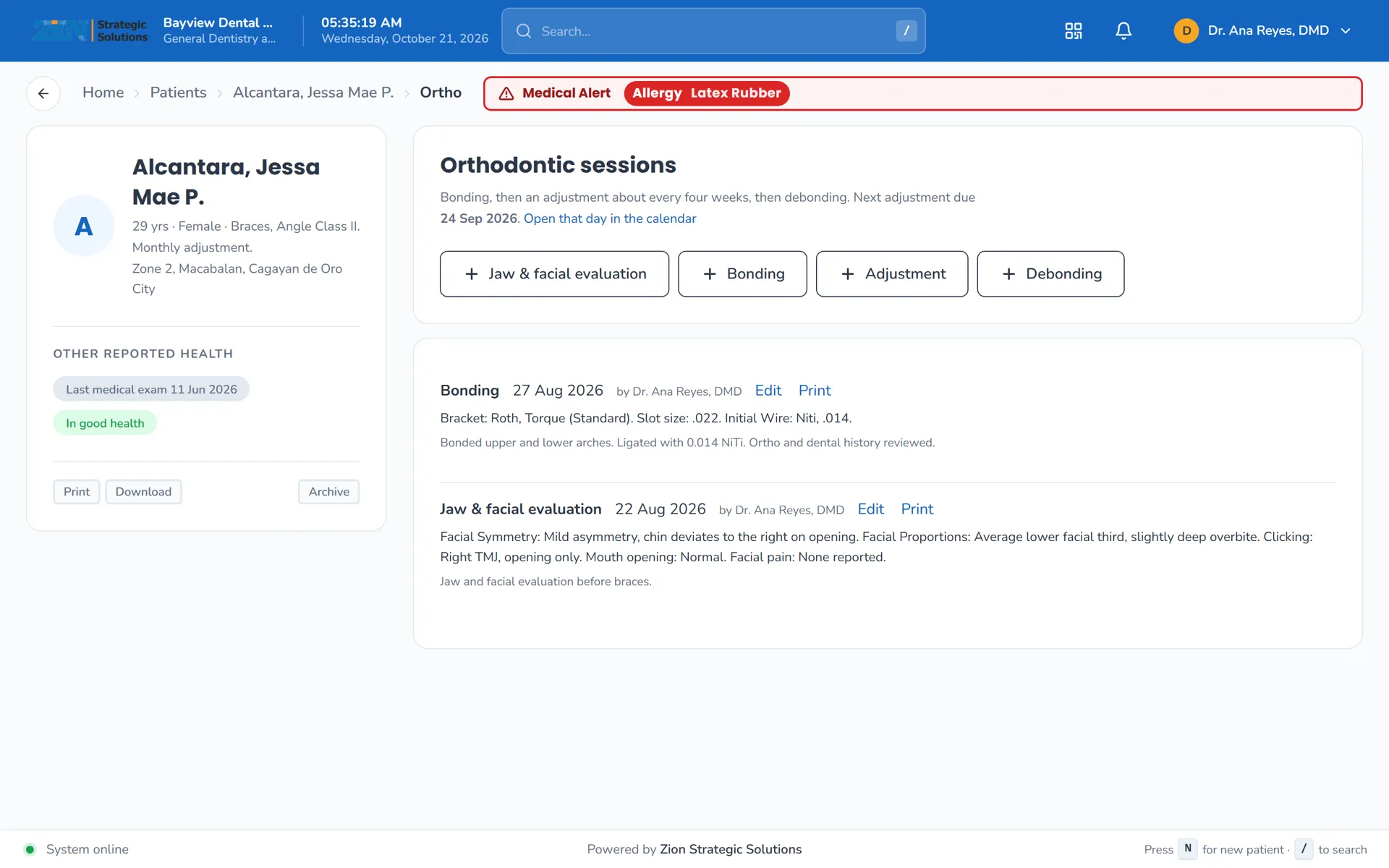
Bonding, adjustment and debonding sessions, laid out like the clinic's own ortho sheets, plus a jaw and facial evaluation: facial symmetry, clicking, crepitus and mouth opening.
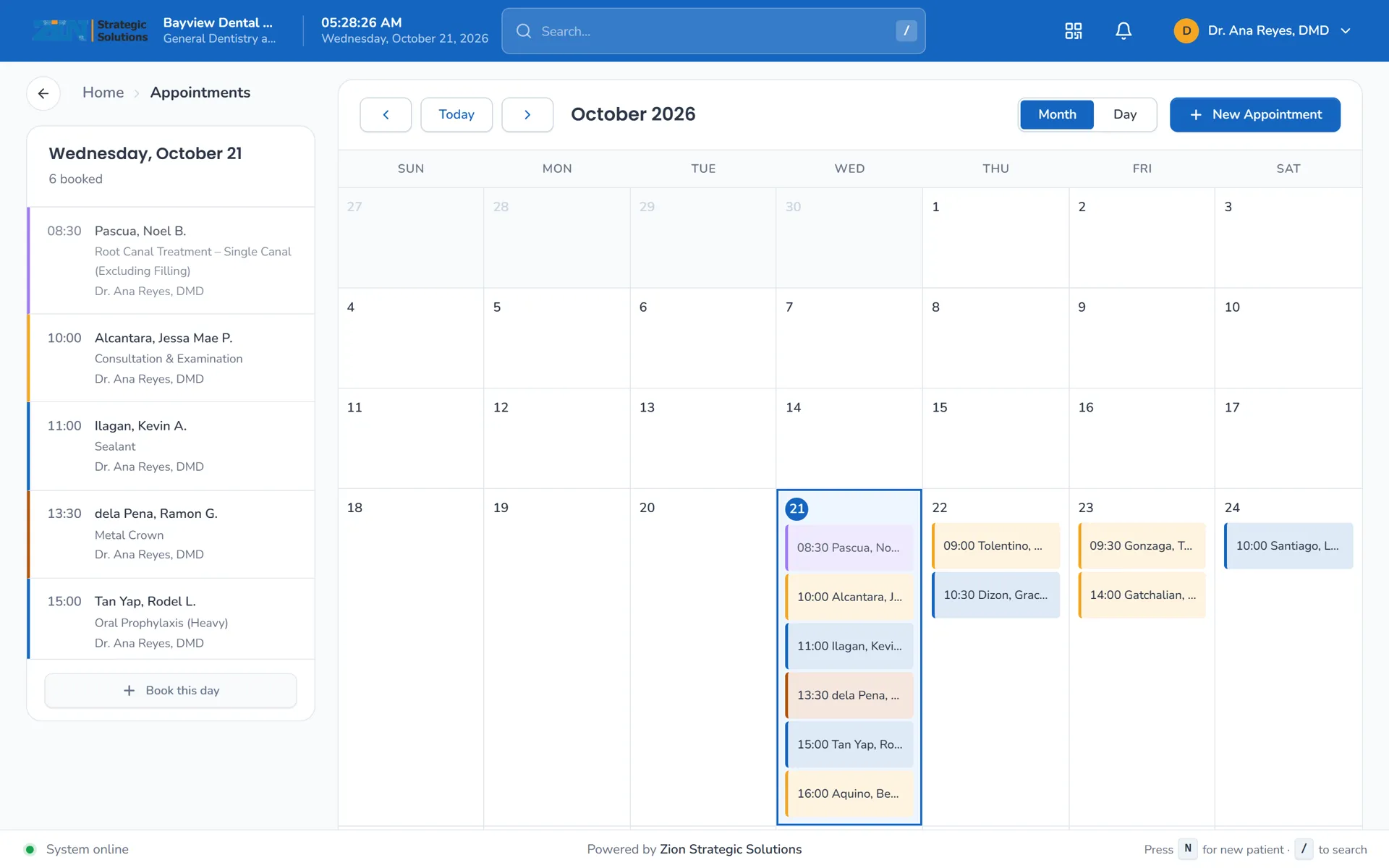
A calendar of appointments with a status on each visit, and reminders for the visits still to come.
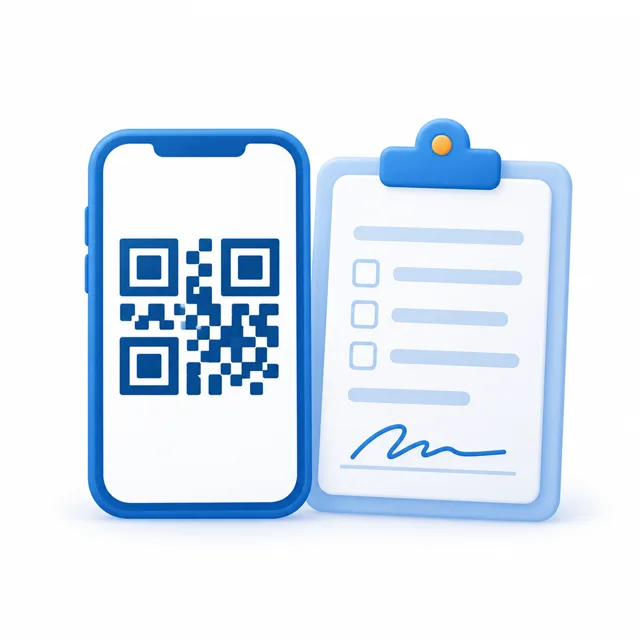
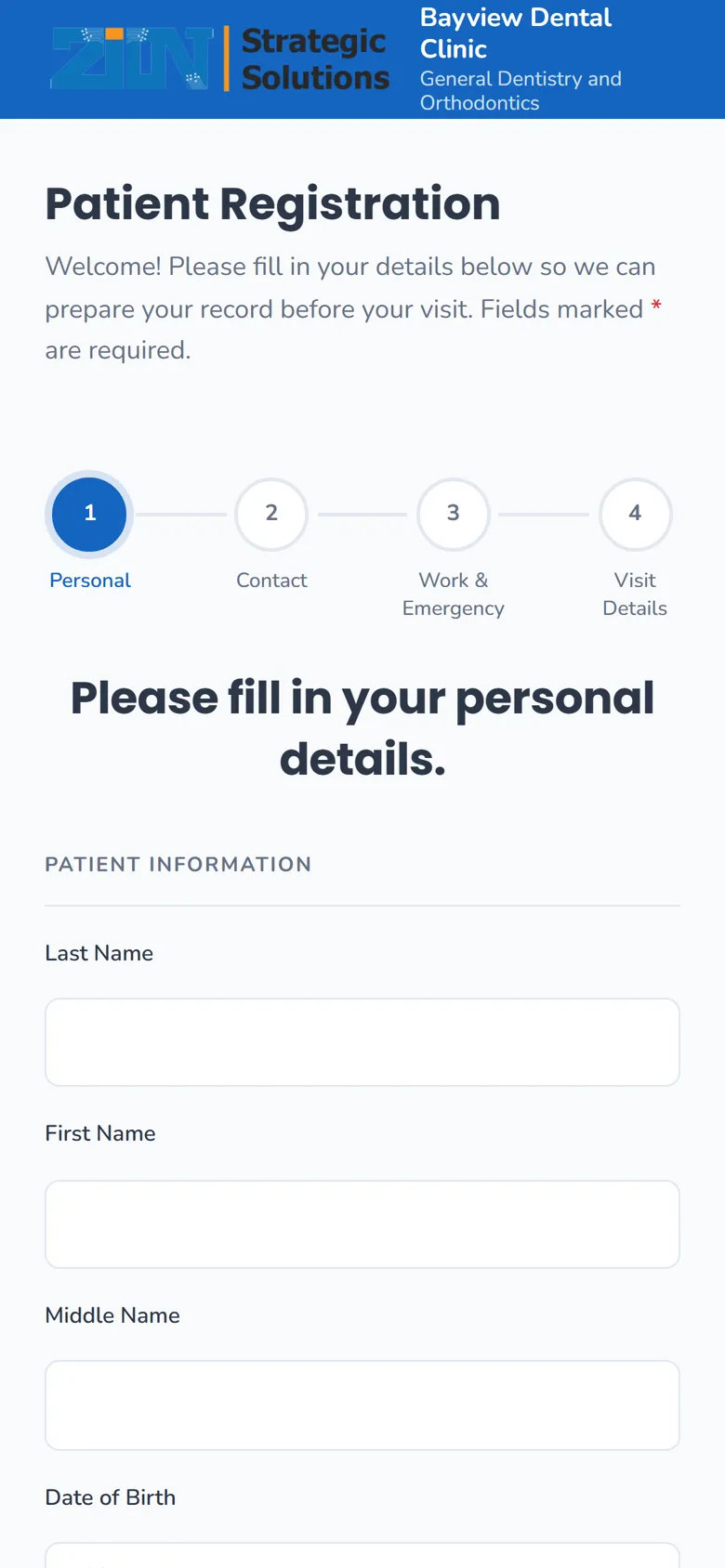
Patients scan the clinic's QR code and fill in their own details on a phone. They give Data Privacy Act consent with an e-signature, and staff approve each submission.
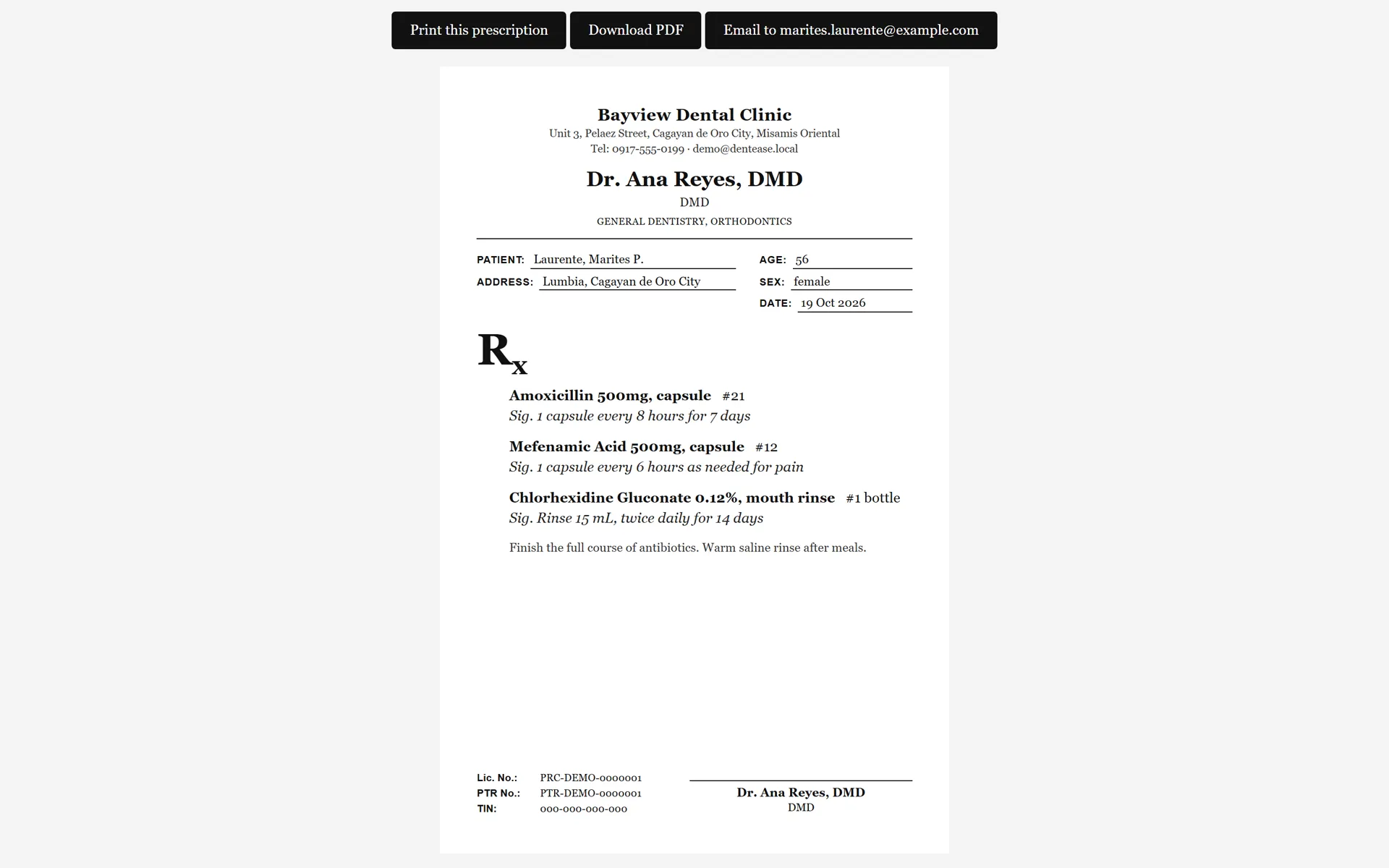
Prescriptions printed on the clinic letterhead, with your medicines saved so you do not retype them for each patient.
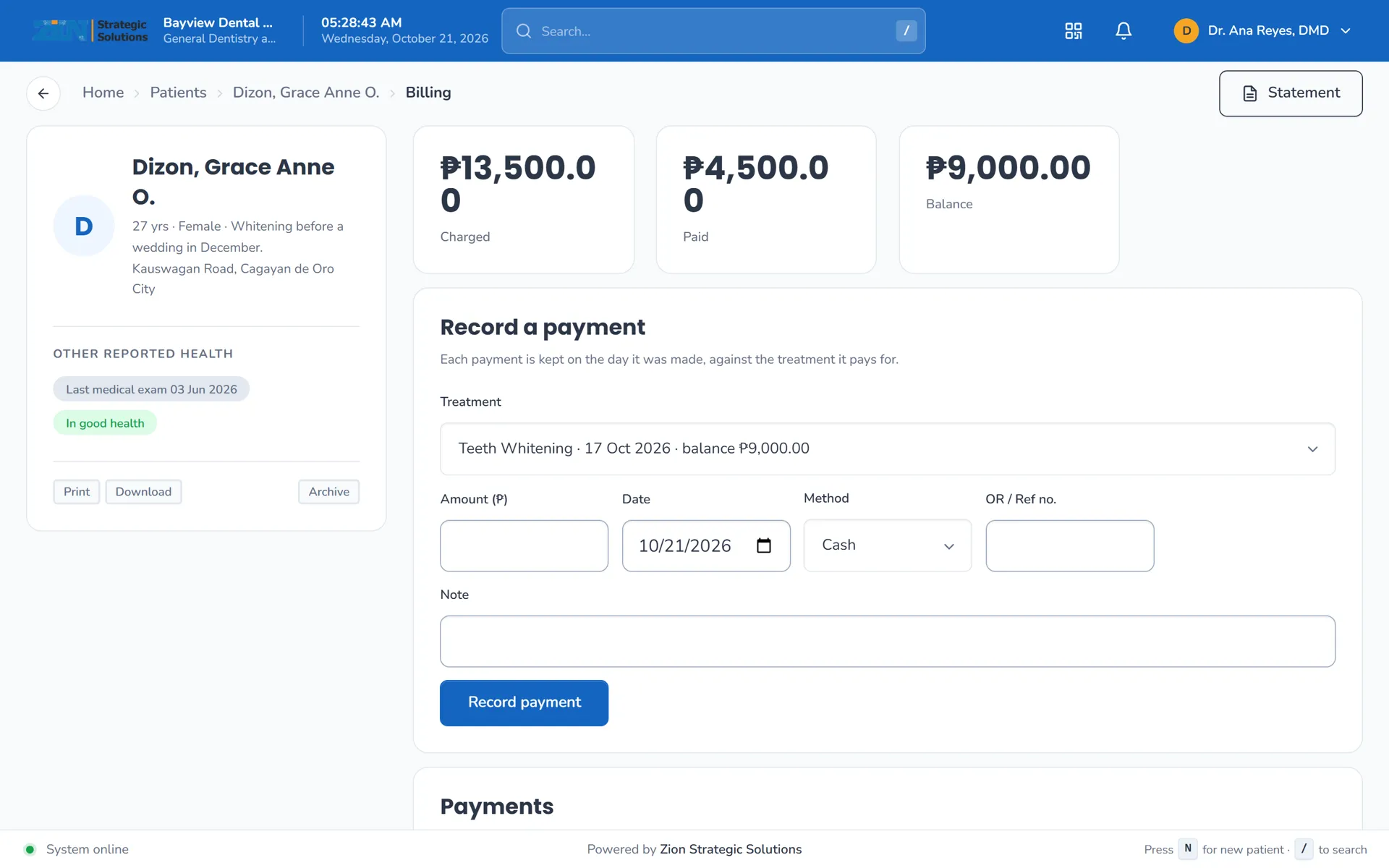
A patient ledger with dated payments, invoices, and installment plans for larger treatments. Receipts can be printed for each payment.
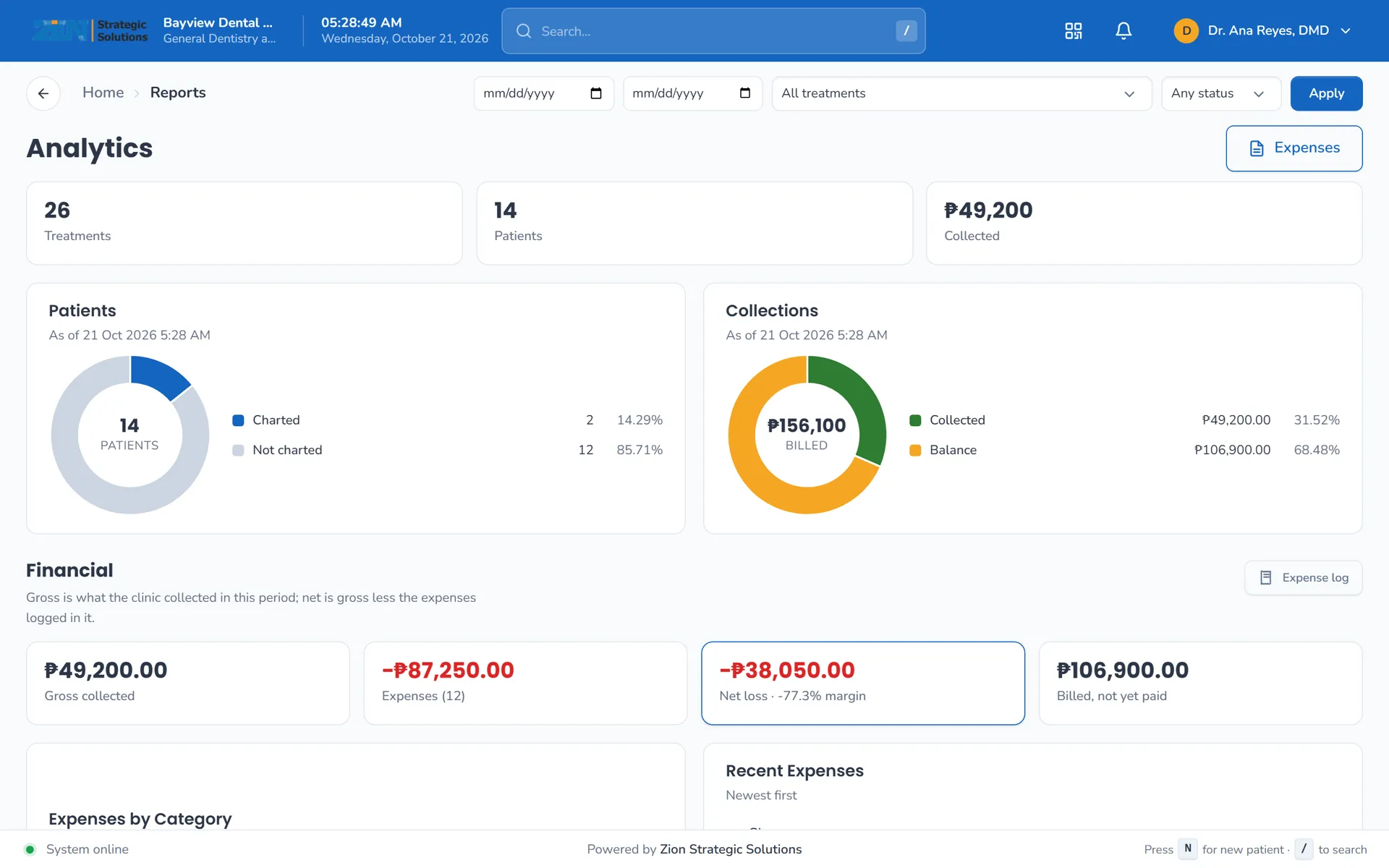
Reports and analytics for the periods you choose, from the same records your team already keeps.
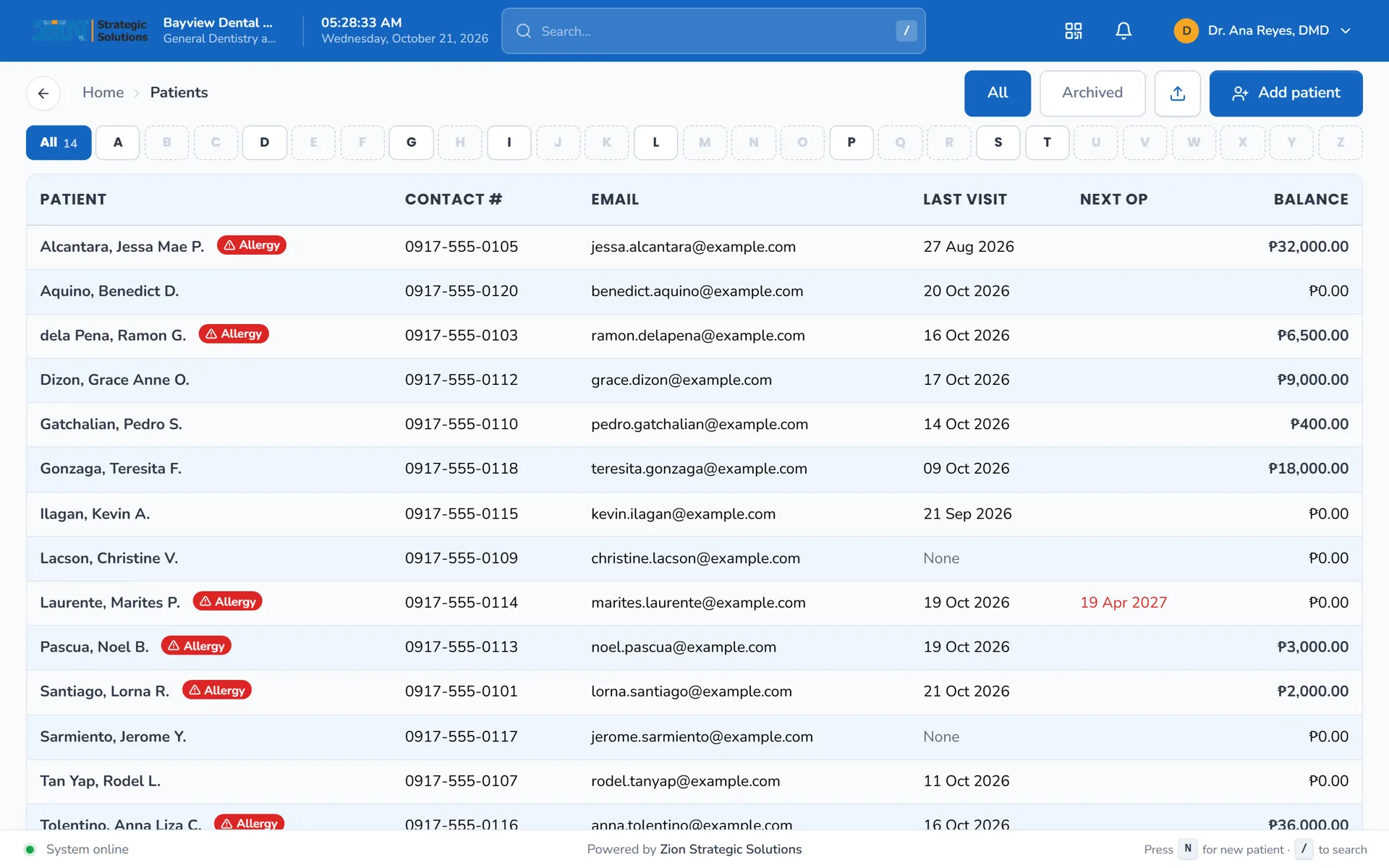
Each patient has one hub with contact details, medical history, the dental record, consents, documents and media.
The dental chart, perio and ortho records, QR registration, consent, billing and reports, as they look on a clinic day.
Patient records are sensitive, so the app is built to keep them separate, traceable and yours.
Plans are per clinic, not per user. Pick the one that matches the number of dentist accounts you need.
₱1,500 per clinic, per month
For a clinic with one dentist.
Good fit for most clinics
₱2,500 per clinic, per month
For a clinic with a few dentists who chart perio and ortho.
₱3,999 per clinic, per month
For a clinic with several dentists or more than one branch.
Prices are in Philippine pesos (PHP), per clinic, billed monthly. Cancel any time and take your data with you: the export is always available.
No. DentEase runs in your browser. Open the link, sign in, and start. Nothing needs to be installed on the clinic's computers.
Yes. It runs in a modern browser on a laptop or a tablet. Patients fill in the registration form on their own phones.
Yes. DentEase is a web app, so the clinic needs a working internet connection. If the browser closes before you save, unsaved chart and treatment changes are kept on that device, but save as you go.
It stays yours. You can export all of your clinic's information and files at any time, as a zip with a CSV for each table. Cancelling starts a short grace period, and the export is available during it.
On Premium, our team helps you move your paper records into DentEase. On the other plans you get guidance on how to set up and enter them, and your staff does the entry.
Each clinic's data is kept apart from every other clinic's. Patients give consent through the registration form with a signature on record, and every change to a dental record is kept in the audit trail.
Yes. The orthodontic records cover bonding, adjustment and debonding sessions, each with the bracket, wire and auxiliary choices from the clinic's own sheets, and a jaw and facial evaluation (symmetry, clicking, crepitus, mouth opening, facial pain). Orthodontic records are included from the Standard plan up.
Book a short demo. We will walk through the chart, the billing and the records with you, and answer questions about moving your paper records.
Book a demo